
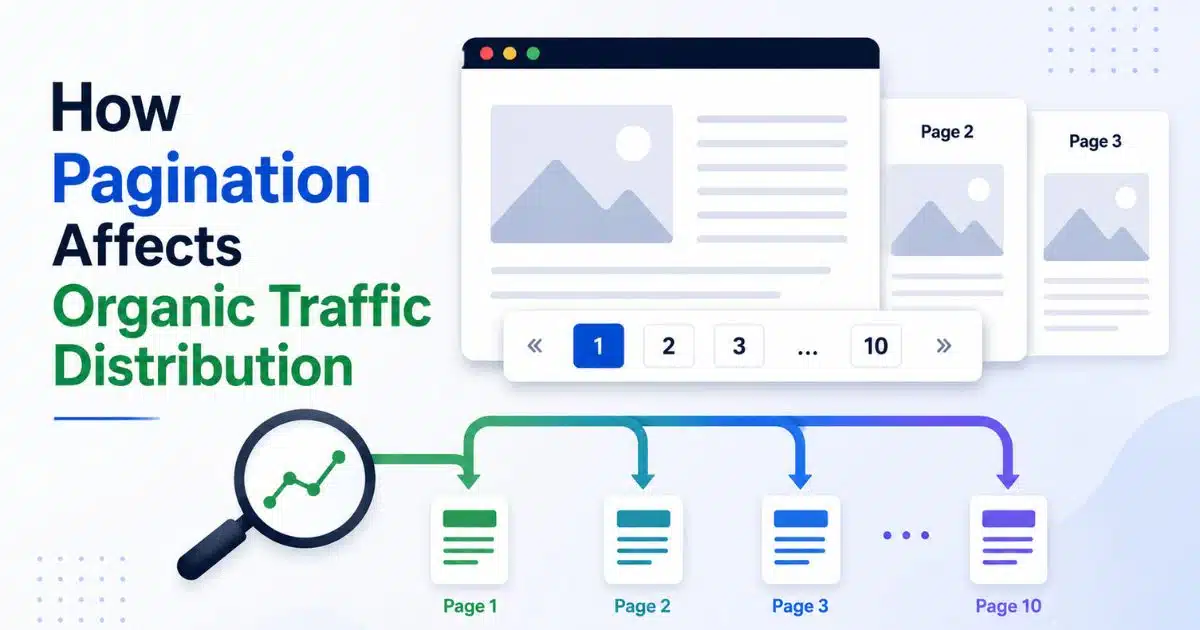
Pagination looks harmless. You have 600 products in a category, so you show 24 at a time and add page numbers at the bottom. The shop becomes quicker and easier to browse, yet those page breaks also decide which products search engines encounter first and which category URLs receive organic visits.
There is a real commercial reason to pay attention. In a controlled test on Iceland Groceries, SearchPilot added clearer links between category levels and reported an estimated 25 per cent uplift across the affected category pages, equal to about 9,200 extra organic sessions per month. It was an internal-linking test rather than a pagination test, so we should not treat 25 per cent as a forecast. It does show, rather neatly, that the routes into and through a product catalogue can change how organic traffic is distributed.
Google treats the URLs in a paginated sequence as separate pages. Page 1 may be the main category entrance, while ?page=2, ?page=3, and every later URL can present a different set of products. The practical question is not whether pagination is good or bad. It is whether your implementation gives people and crawlers a clear path through the whole collection without making dozens of near-identical URLs compete unnecessarily.
Luckily, the general gist is manageable. Earlier pages normally attract more attention, deeper content needs stronger discovery paths, and canonical tags must describe genuine duplication rather than erase useful parts of the sequence.
How Pagination Concentrates Traffic on Earlier Pages
Picture a department store with its best displays beside the front door. Those displays receive more passing attention because every shopper sees them first, not because the products at the back are being punished. Page 1 of an ecommerce category often works in much the same way.
It is usually the URL linked from the main navigation, breadcrumbs, promotional pages, and external mentions. Those routes make it a natural entry point for users and crawlers. Google also recommends linking the individual pages in a collection back to the first page, because doing so can emphasise the start of the collection and hint that page 1 may be the better landing page, as explained in Google’s pagination guidance.
That does not make page depth a direct ranking penalty, nor does it guarantee that page 1 will receive every click. A later page can still appear for a relevant query, particularly if its own content and links make it a useful result. Even so, page 1 normally receives the clearest sitewide signals and offers the broadest introduction to the category, so organic traffic commonly gathers there.
This concentration changes the value of your default product order. Imagine that your /mens-trainers/ page ranks for a broad category search, but the most popular sizes and current models have slipped to page 6 because the catalogue sorts by date added. Searchers may never reach them. They see the first set of products, form an opinion about your range, and either refine the list or leave.
Treat the opening page as merchandising space, not a random database output. Put a useful mix of popular, available, and representative products near the front. Keep the order stable enough that customers do not see a completely different shop window on every visit, but refresh it when stock, season, or commercial priorities genuinely change.
Human behaviour matters here. Pagination controls should tell shoppers where they are, how much choice remains, and how to move forward. Google notes that pagination can give users a sense of the result size and their current position, although moving through the collection requires additional page loads. A clear Page 2 of 18 label is more useful than a lonely arrow with no context.
Measure the concentration rather than assuming it. In Google Search Console, compare impressions and clicks for the first category URL with URLs containing the page parameter. In your analytics platform, compare organic entrances, product clicks, add-to-basket actions, and revenue across page 1 and the deeper sequence. You are looking for a pattern, not a universal benchmark.
Keep experiments separated by channel. If you decide to buy targeted website traffic for a distinct paid campaign or capacity test, tag and segment those visits so they do not blur your organic comparison. Paid visits do not make a paginated URL easier to crawl and should not be presented as evidence of an organic ranking change.
A large gap between page 1 and the remaining pages is not automatically a problem. The first URL is supposed to be a strong entrance. The warning sign is when commercially important products depend entirely on a long pagination chain and have no other useful internal route.
How Pagination Reduces Visibility for Deeper Content
A product hidden on page 20 is like an item stored in an unlabelled aisle. It still exists, but both customers and search engines need a reliable route to reach it. Pagination becomes risky when that route only works for a patient person clicking one button after another.
Google generally discovers links through an HTML <a> element with an href attribute. Its crawlers do not click buttons and generally do not trigger JavaScript functions that require user action to reveal more products. A polished Load more button may work perfectly for shoppers while leaving no crawlable path to the next set of URLs, a risk covered in Google’s crawlable-link guidance.
The safe approach is to give each component page a unique URL and connect the sequence with ordinary crawlable links. Page 1 should link to page 2, page 2 to page 3, and so on. You can enhance that structure with JavaScript for the human experience, but the underlying URLs should remain accessible without relying on a click event that only exists in the browser.
Do not encode the page number after a # fragment. Google ignores URL fragments for this purpose and may treat the next view as the same URL it has already retrieved. A server-resolvable address such as ?page=4 gives the fourth component page its own location.
Older implementations sometimes depend on rel=”next” and rel=”prev” annotations. Google no longer uses those tags to identify a paginated sequence, although other search engines may still use them. The important Google-facing signal is the crawlable link between real URLs, not a pair of annotations hidden in the page head.
Longer link paths can reduce a product’s practical visibility because later pages tend to receive fewer internal links and less user attention. That is different from saying Google always stops at a particular page number. There is no universal point at which page 8 becomes invisible. The outcome depends on the size of the site, the quality of its links, the stability of its URLs, and the other routes available to each product.
The Iceland Groceries experiment provides useful context. SearchPilot added visible links from level-two categories to level-three categories and reported a 25 per cent organic uplift across the source and destination groups, with both groups showing estimated gains above 20 per cent. The published SearchPilot case study does not prove that adding more page numbers will produce the same result. Its value is narrower: clearer catalogue paths can affect traffic on both the pages giving links and the pages receiving them.
| Common implementation | What to check | Practical response |
| A button loads more products without a new link | Inspect the rendered HTML for an <a hef> route to the next component page | Keep the enhanced button for users, but expose crawlable paginated URLs underneath |
| Page numbers use fragments such as #page=5 | Test whether each view has a server-resolvable unique URL | Use unique URLs such as ?page=5 |
| Only Next and Previous links exist in a very long sequence | Count how many steps separate page 1 from later groups of products | Add useful numbered links, subcategories, buying guides, or other contextual routes where they help users |
| The sitemap is expected to replace navigation | Check whether products have internal HTML links as well as sitemap entries | Use the sitemap to support discovery, not as a substitute for crawlable site architecture |
An XML sitemap can help Google discover product URLs that sit deep in a catalogue. Google says sitemap submission is a hint, however, not a guarantee that a URL will be crawled or indexed. Its sitemap documentation also advises listing the canonical URLs you want to see in search. A sitemap is useful insurance, but it cannot repair pagination controls that lead nowhere.
Build additional paths where they make sense for shoppers. Relevant subcategories, buying guides, breadcrumbs, and carefully chosen related-product links can bring valuable items closer to useful context. Do not dump hundreds of links onto every category page. SearchPilot itself cautions that its result should not be interpreted as permission to add links indiscriminately.
The human-first test is simple: could a shopper discover the product without knowing its exact name? If the only route is Next, Next, Next through 19 pages, your structure is doing too little. A crawler may face the same weak route.
How Canonical Tags Shift Traffic Between Paginated Pages
Canonical tags are more like forwarding labels than trapdoors. They tell Google which URL you prefer as the representative version of duplicate or very similar content. They are strong signals, but they are not commands, and Google may select a different canonical when other signals disagree, as Google’s canonicalisation guidance explains.
This distinction matters because paginated component pages are normally not duplicates. Page 2 lists different products from page 1, while page 3 presents another portion of the collection. Google explicitly says not to make page 1 the canonical URL for the whole paginated sequence. Each component page should normally carry a self-referencing canonical, so ?page=3 points to ?page=3.
If every component page points to page 1, you are asking Google to treat page 1 as the representative URL. Google may then omit later component URLs as separate search results and consolidate eligible signals around the selected canonical. That can shift impressions and clicks towards page 1, but it does not mean a canonical tag literally transfers every visit or prevents Google from ever crawling the other URL.
The bigger concern is clarity. You have declared that visibly different product sets are equivalent while your internal links say that all of them belong in the catalogue. Conflicting signals make it harder to understand whether a later page is a useful component, an accidental copy, or a URL that should disappear.
Sort and filter parameters require a more careful decision. A price-sorted URL that shows the same complete set of products in a different order is a good candidate to canonicalise to the default version. Tracking and session parameters that do not change the meaningful content are similar. In those cases, consolidation helps prevent multiple addresses from representing essentially the same page.
A filtered landing page is not automatically a duplicate. A stable page for blue waterproof jackets, with a distinct product set and genuine search demand, may deserve its own indexable URL and self-referencing canonical. A temporary combination of seven filters that returns two products probably does not. Canonicalise according to content and purpose, not according to the mere presence of a question mark in the URL.
Traffic follows the canonical choice indirectly. Google generally shows the selected canonical in search results, and canonicalisation can consolidate signals such as links from duplicate URLs. If your signals consistently identify one useful version, its impressions, clicks, and reporting become easier to interpret. If the declarations conflict, Google can choose a different URL from the one in your tag.
Consistency is therefore really important. Link internally to the canonical URL rather than a duplicate variation. List preferred canonical URLs in the sitemap. Use absolute canonical addresses, place the element in valid HTML head markup, and avoid having JavaScript replace a clear server-rendered canonical with a different value.
Do not use robots.txt as a canonicalisation tool. Blocking a duplicate URL can prevent Google from seeing the canonical signal on the page, while the blocked address may still appear without a snippet. Google also advises against using noindex merely to force canonical selection within one site, because noindex removes that page from Search rather than expressing which duplicate version you prefer.
After deployment, inspect representative URLs rather than checking one category and hoping for the best. Test page 1, several middle and late component pages, a sort variation, an indexable filter, and a filter you intend to consolidate. Compare the declared canonical with Google’s selected canonical in Search Console, then confirm that the rendered links lead to the right unique URLs.
Good pagination does not try to make every component page equally popular. It gives page 1 a strong role, keeps deeper products discoverable, and uses canonicals only where the content is genuinely duplicate or near-duplicate. Get those three jobs right and traffic can settle where it is most useful, without leaving the back half of your catalogue in the dark.